Free Photo Grid Generator — The Easiest Grid Drawing Tool for Art Class
If you’ve ever tried to run a grid drawing lesson, you know the setup is the worst part. Print the reference photo. Grab a ruler. Draw grid lines by hand. Hope the copies came out clean. Hand them out. Watch half the class smudge their grid before they ever pick up a pencil.
There is a better way.
The Photo Grid Generator at artteachertools.com is a free, browser-based grid drawing tool that does the hard part for you. Upload any reference image, choose your grid size and a perfectly measured drawing grid appears on your photo reference instantly – no printing, no rulers, no measuring, no mess. Your grid drawing lesson is ready before you finish your coffee.
Key Features
We know that you will find our free grid drawing tool helpful as you plan your next work of art. Enjoy features like multiple grid overlay types, a draggable grid for perfect placement every time and a black and white mode to study your values.
Instant Grid Overlay
Your grid overlay is instantly added to your uploaded reference photo.
Multiple Grid Overlays
We offer multiple grid sizes and overlay types to match different skill levels and reference photo complexity.
Browser-Based
No downloads and no accounts are required. Our online grid drawing tool works on Chromebooks, laptops, tablets and desktops.
No Cost to Use
No subscription, no watermarks and no hidden fees.
Ultimate Privacy
Images are processed in your browser and never stored or transmitted by Artteachertools.com. Print your gridded image or display it on a projector or individual device.
What is a Grid Drawing Tool – and Why Does it Matter?
A grid drawing tool overlays an evenly spaced grid on a reference image so that students can draw one square at a time instead of trying to tackle the whole thing at once. It’s one of the oldest observational drawing strategies used by artists. American illustrator Norman Rockwell used it to transfer sketches to canvas. Muralist Diego Rivera used grid drawing to scale his compositions to wall size pieces, while contemporary artist Chuck Close used a grid as the structure for his large-scale photorealistic work.
Grid drawing works because it teaches students to stop drawing what they think something looks like and start drawing what’s actually there. Instead of asking “how do I draw this whole face?” the task becomes “what’s happening in just this one box?”. The narrower focus is something that every student — regardless of skill level — can engage with immediately. Once they start, the drawing will begin to build itself one grid square at a time.
The grid drawing tool brings that approach into your browser so it is ready to go without any setup or prep work.
Our Photo Grid Generator vs. The Other Guys
Wondering how the artteachertools.com photo grid generator stacks up against other free photo grid tools? Here is a comparison chart of the competition.
| Features | ArtTeacherTools.com | Gridmaker | Gridraw | GridmakerPro |
|---|---|---|---|---|
| Free to use | ✅ | ✅ | ❌ Some features cost $$$ | ✅ |
| No account required | ✅ | ✅ | ✅ (Free version only) | ✅ |
| Ad-free webpage | ✅ | ✅ | ❌ Selling “Pro” version | ✅ |
| Perfectly square traditional grid automatically. | ✅ | ❌ Not automatic | ❌ Not automatic. Paid only. | ❌ Not automatic |
| Multiple grid patterns | ✅ | ❌ Only plain grid | ❌ Paid version only. | ✅ |
| Built for classroom use | ✅ | ❌ General Use | ❌ General Use | ❌ General Use |
| Chromebook compatible | ✅ | ✅ | ✅ | ✅ |
| Images stay private (browser only) | ✅ | Unknown. Not specified. | ✅ | ✅ |
| Black and white mode | ✅ | ✅ | ❌ | ✅ |
| Draggable grid for perfect placement | ✅ | ❌ | ❌ Paid version only. | ❌ |
| Paper size recommendations | ❌ | ✅ | ❌ | ✅ |
| No watermarks | ✅ | ✅ | ✅ | ✅ |
All information in this chart was accurate at the time of publishing on March 13, 2026.
Browser-Based Photo Reference Grids
Who Is This For?
How can you use drawing grids in your visual arts class? Which teachers benefit from the grid drawing tools?
Drawing Foundations
Art teachers at any grade level who teach foundational skills or beginner drawing.
Less Prep
Visual Arts teachers running grid drawing lessons who want to cut prep time down to zero.
Chromebooks
Art teachers with 1:1 device classrooms or those that teach in a district that uses Chromebooks for students.
No More Printing
Teachers that want to eliminate printing costs from their grid drawing units can keep it digital.
Sub Activity
Substitute teachers can use grid drawing as a structured, self-explanatory drawing activity.
Student Independence
Visual arts students who want more freedom and choice can easily select and grid their own reference photos.
How to Use the Grid Drawing Tool
step one.
Choose your reference image.
Pick something with clear shapes & enough detail to make the grid drawing worthwhile. Avoid images that are overly simple or extremely busy. Try still life objects, portraits or architectural details.
step two.
Upload it to the tool.
Go to artteachertools.com and open the grid drawing tool. Upload your image. It processes directly in your browser — your photo is never sent to any external server. You should see your image in the workspace.
step three.
Choose your grid.
The tool will automatically apply a grid to your photo. However, if it is mathematically impossible to cover your image with a perfect grid, you can drag the grid placement or manually change the settings.
step four.
Display or print.
Project the gridded image on your classroom screen, have students display grids on their individual devices or print out the grid(s). All three options will work.
step five.
Have students set up their drawing paper.
Students draw a grid with matching proportions on their paper using a ruler. They might want to label their rows and columns, also.
step six.
Draw square by square.
Students work one grid cell at a time, comparing what they see in each section of the reference to what they are putting down on paper. They are simply drawing lines and shapes.
Classroom Tips for Grid Drawing Lessons in Art Class
Start big, go small over time
For a beginner, keep the grids simple. Try a 4×4 grid over a simple object before graduating to a 10×10 grid. Over time, move to more complex grids. Continue building up complexity as students gain confidence.
Remind students to draw lightly
Grid lines on the paper will eventually be erased! Build the habit of drawing lightly from the beginning to avoid looking at grid lines on finished drawings later on.
Use grid size for differentiation
Same assignment, same reference image — just give different grid sizes to different students based on their current skill level.
Let students choose their own reference.
Once students understand the grid drawing method, have them select a reference image of something they actually care about 😉 The result that you will see in your classroom is instant engagement!
Connect it to professional practice.
Talk about how muralists use scaled grids. Show students how Chuck Close worked. Let them see that the grid method isn’t a lame shortcut. Instead it is a method used by artists that helps build accuracy.
Curriculum Connections: Where Grid Drawing Fits in Your Art Program
Proportion and Measurement
The grid drawing method is one of the most concrete ways to teach proportion. Students who understand the grid method, develop a sense of spatial relationships that will help with future freehand drawing.
Observational Drawing
Drawing from observation is a foundational skill and drawing from a grid gives real observational drawing practice. Students who struggle to start a freehand observational drawing often find the grid version much more approachable.
Scaling and Enlargement
After learning how a grid works, you can introduce scaling up. The same grid is used to enlarge a small sketch onto a bigger paper or canvas — which is how murals work, how painters worked & how illustrators transfer concepts.
Art History
The grid drawing method gives you a natural entry point into discussions about how artists have historically solved the problem of transferring images accurately. Grant Wood used grid transfers for his large Regionalist compositions. Diego Rivera relied on scaled grids to move small sketches onto massive mural surfaces. Dive into that art history!
Our Drawing Grid Types
Explore Grid Types
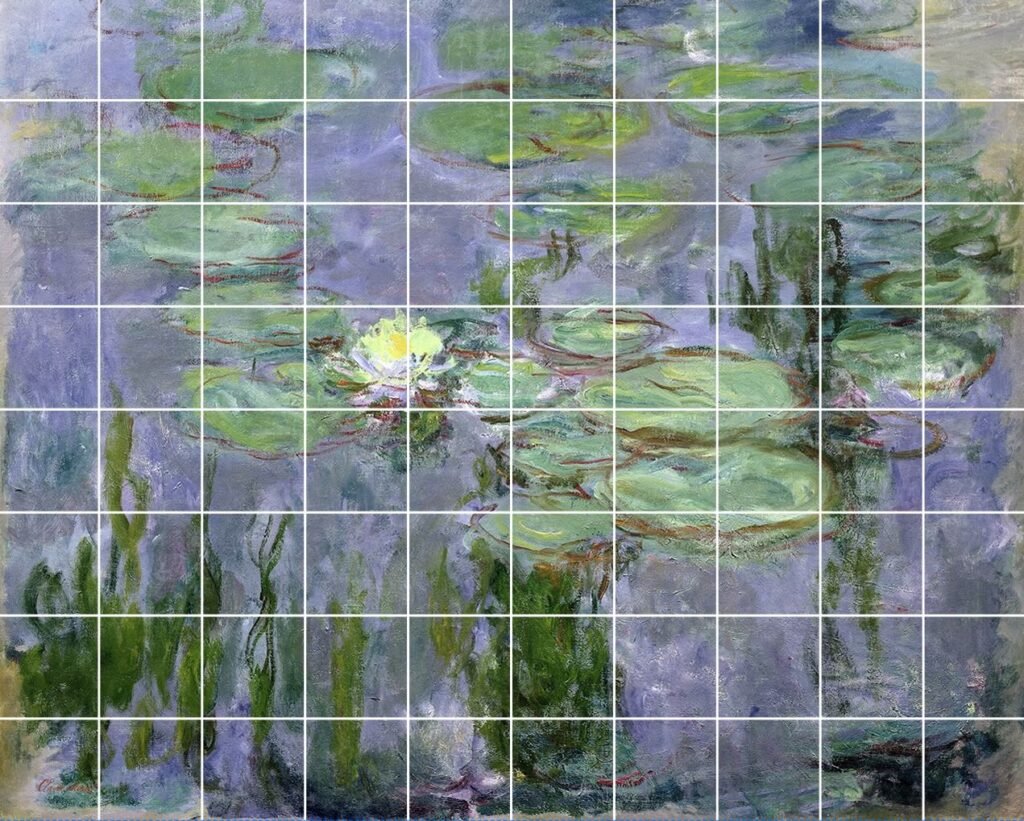
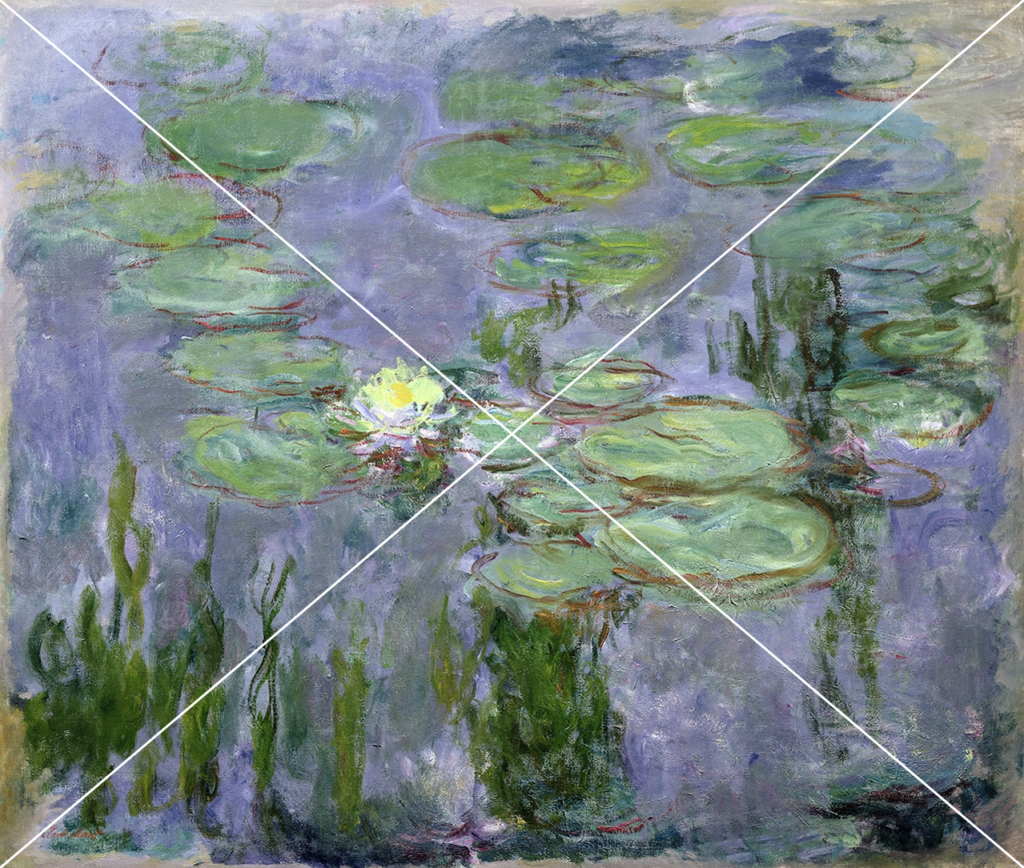
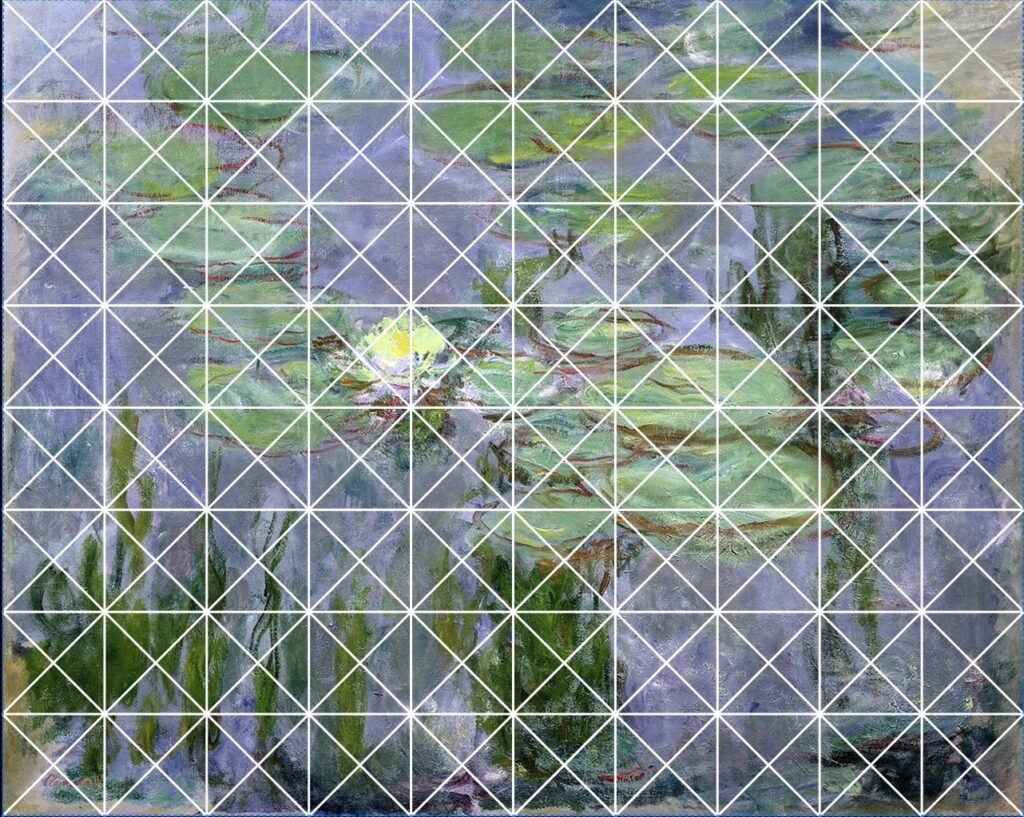
Art Teacher Tools’ grid drawing tool not only calculates perfect grid squares, but it also allows the user to change the shape of their current grid. Try our traditional grid, detailed grid, X grid, radial grid and others.
Frequently Asked
We’re here to help answer any questions you might have. Didn’t find the answer you were looking for? Please, send us an email so we can help.
What is a grid drawing tool?
A grid drawing tool overlays an evenly spaced grid on a reference image, allowing artists to draw one square at a time for greater accuracy. It allows artists to accurately transfer complex compositions to paper or canvas. It’s a drawing method with roots in Renaissance workshop practice that continues to be used by master artists, illustrators, muralists and in art education today.
What’s the best grid size for beginners?
For students who are new to the grid drawing method, larger grids (fewer, bigger squares) work best. A 4×4 or 6×6 grid over a simple reference gives students manageable sections without overwhelming them. Work towards smaller, more detailed grids as their confidence grows.
Can students use this grid for drawing at home?
Yes. This tool is simple enough to use independently once a student has been introduced to it in class. It works on any device with a browser, making it accessible for at-home practice.
Does this grid drawing tool work on Chromebooks?
Yes. Because the photo grid generator runs entirely in a browser, it works on Chromebooks, laptops, tablets and desktops without any downloads or software installations.
Is this a free grid drawing tool?
Yes. You upload your own reference photo and the tool applies a drawing grid over it in your browser, completely free. No account needed, no subscription, no watermarks and no cost.